Desktop app for Windows
RackStack Blueprint
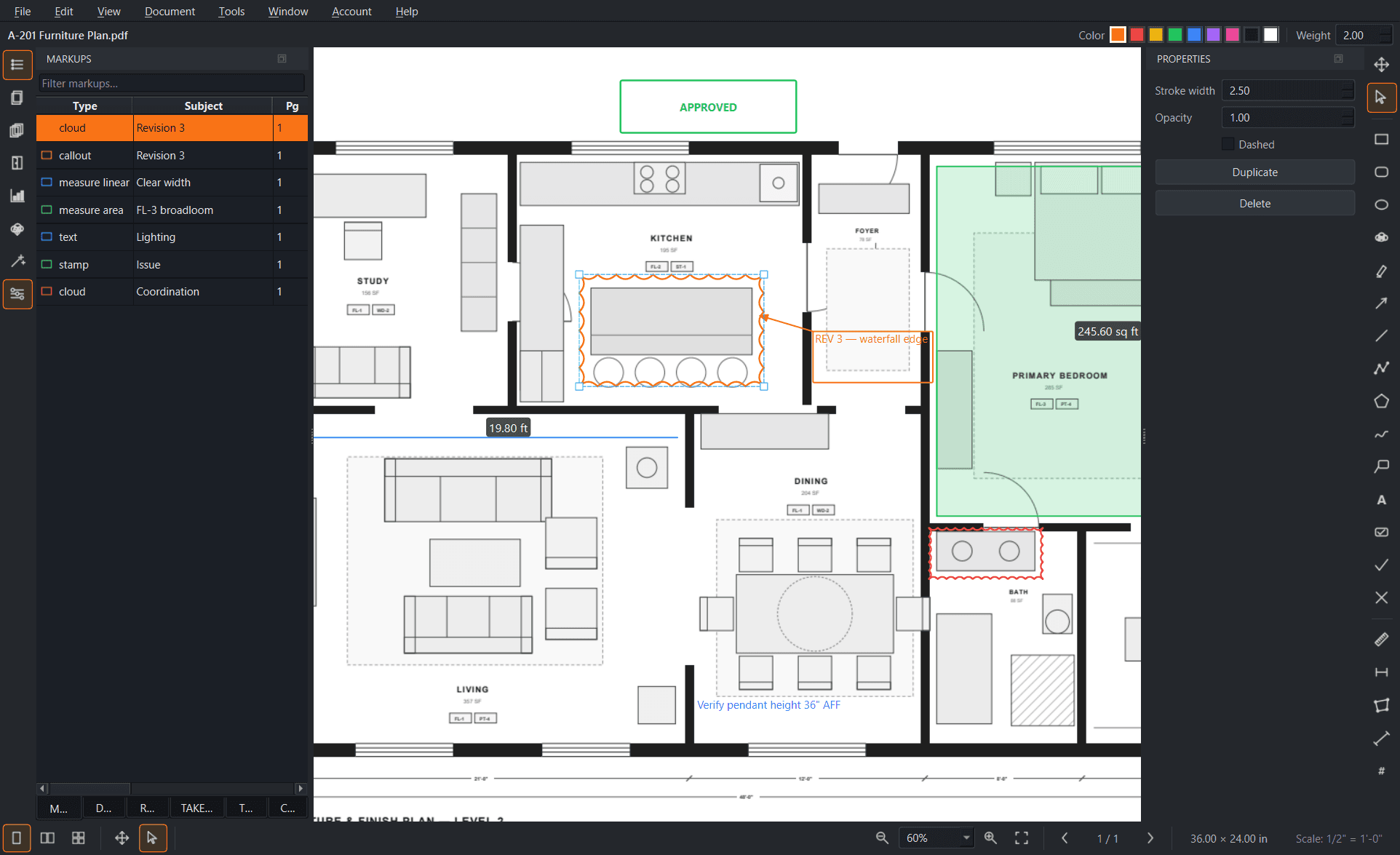
Construction drawing markup and takeoff that runs on your machine. Mark up plan sets, measure and count, compare revisions, and publish it all back to your shop — without waiting on a browser to load a 200-sheet PDF.
Version 1.0.0 · 30.5 MB · Windows 10 or 11 (64-bit)
Included with every paid plan
Blueprint isn't a separate product with its own license. Every RackStack Pro seat includes it — install it on as many computers as you like, sign in with your RackStack Pro account, and it unlocks. Free for 14 days with your trial.
What it does
Everything you'd expect from a plan-review tool.
Full markup toolset
Clouds, callouts, text, shapes, highlights, ink, and custom stamps — every markup carries an author, status, and comment thread your team can filter and reply to.
Measure & take off
Calibrate a sheet once, then measure length, area, volume, and counts. Dynamic Fill traces a room boundary in one click, and every measurement rolls into a summary you can export.
Compare revisions
Overlay two versions of a sheet to see exactly what changed, or slip-sheet a whole revised set — Blueprint matches sheets by number and carries your markups forward.
OCR & symbol search
Search scanned drawings with built-in OCR, and find every instance of a symbol on a sheet — then count them all at once instead of by hand.
Shared tool chests
Save the markups your shop uses over and over into tool chests, with custom statuses and stamps so every reviewer marks a drawing the same way.
Connected to your shop
Open drawings straight from the Files module and publish markups and flattened PDFs back to the org, so the crew always sees the current set.
Part of the platform your shop already runs on.
Blueprint signs in with the same RackStack Pro account as the web app — through your browser, with your existing session, Microsoft, or Google. From there it reads and writes the same organization data as everything else.
- Browse your Files module folders and open drawings without downloading them first
- Publish markups and flattened PDFs back into the org for the crew to see
- Role and subscription checks come straight from your workspace
- Update prompts when a new build ships — Blueprint never updates itself behind your back
Get Blueprint on your machine.
Download the installer and sign in with your RackStack Pro account. No separate license, no per-machine fee.
Latest release 2026-07-23. macOS and Linux builds are on the roadmap.